An etched castle on a sea cliff at night, above a dark sea where the sun has just set
A native app for your Frigate cameras

Your cameras.
Your timeline.

Live views, fast rewind, and the moments that matter, straight from your own Frigate server. No account, no cloud, no tracking.

Requires your own Frigate server.

iPhone / iPad / Mac · one purchase
01 / A closer look

A clear view.
A little less noise.

From a quick glance at the front door to finding what happened hours ago. Everything has its place.

LIVE

Every camera.
One calm place.

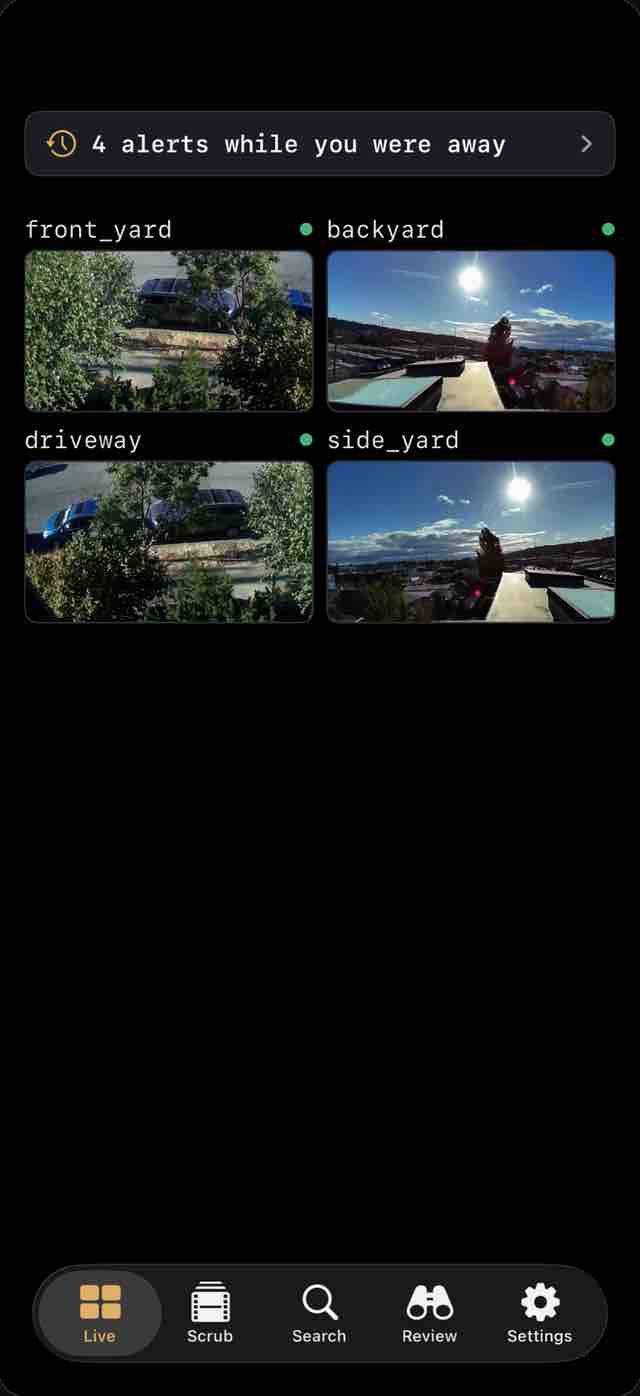
Every camera in one live grid, or one full screen. Live video starts over low-latency WebRTC and falls back to HLS on its own when it needs to.

Your own server. No cloud in the middle.
LIVE / IPHONE
The Live tab: a grid of four camera tiles under a banner reading 4 alerts while you were away.
SCRUB

Hours of footage.
Seconds to find it.

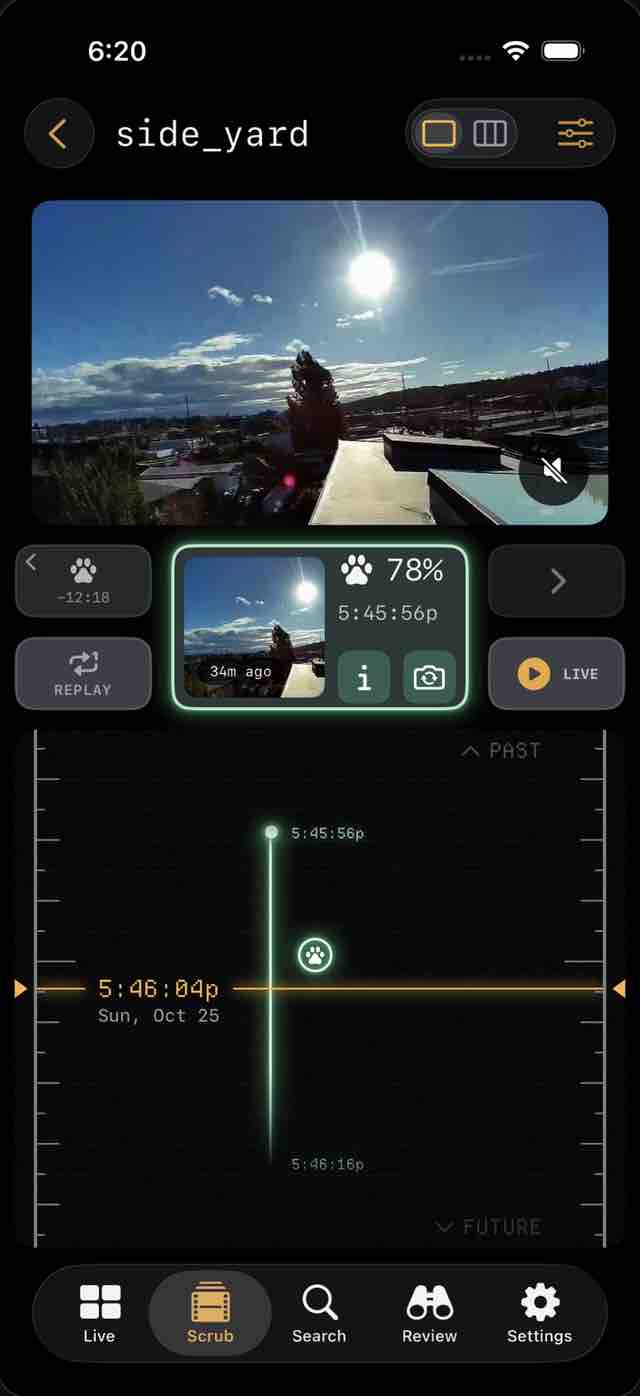
Drag the reel and watch each moment go by as you move. Jump between events with Previous and Next, go straight to any time, and play back at ½× to 2×.

Fast rewind. A timeline you can feel.
SCRUB / IPHONE
The Scrub page: a camera view above an event card and a vertical timeline reel with a detection marked on it.
REVIEW

Who came by.
And when.

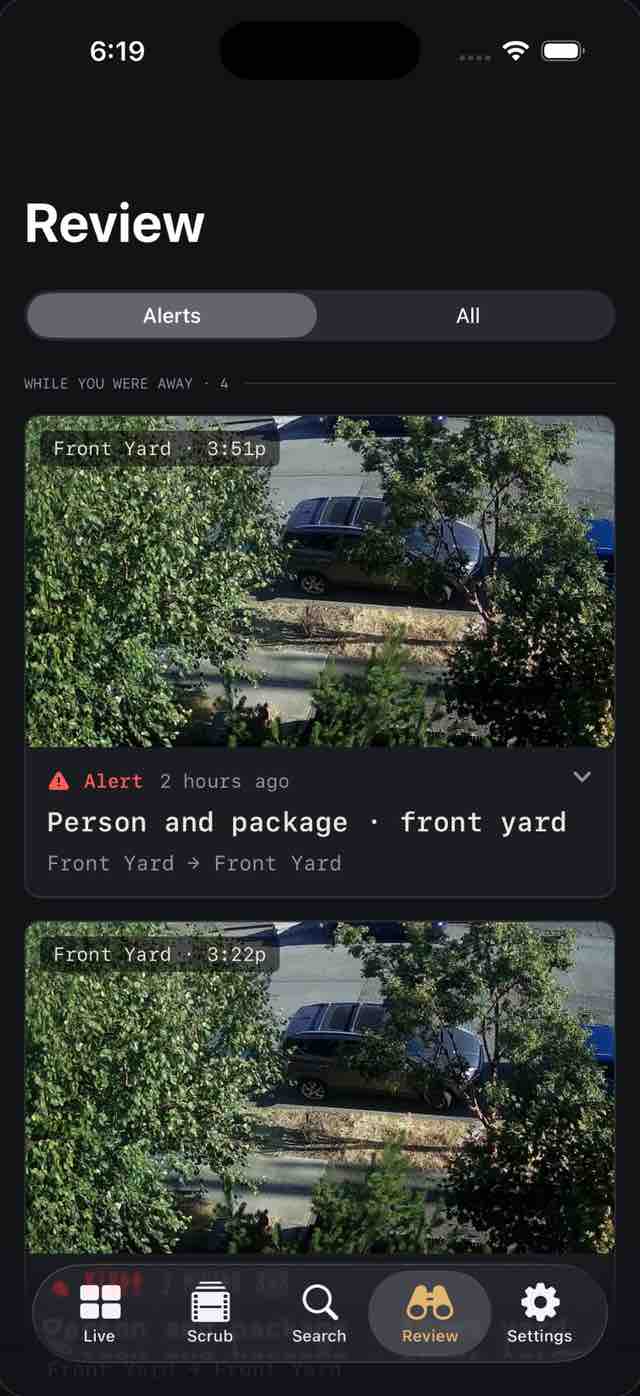
Alerts and detections in one feed, filtered by camera, object and zone. Encounters group a visit into one card, with the clip a tap away.

Less searching. More understanding.
REVIEW / IPHONE
The Review tab: a feed of alert cards, the first reading Person and package, front yard.
EXPLORE

Pick up the trail.
Camera to camera.

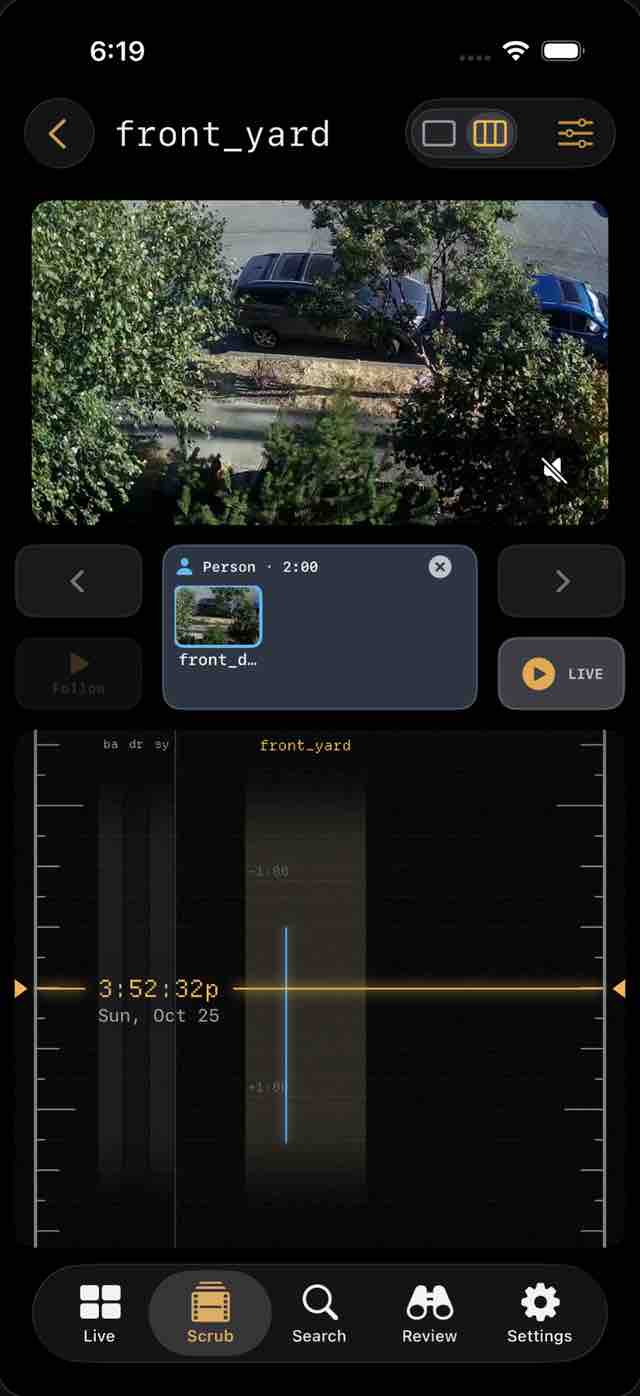
Follow one person or vehicle across every camera on a shared timeline, with a list of where they went next.

One subject. A connected story.
EXPLORE / IPHONE
Following a person: a camera view above a person card and a timeline showing when each camera saw them.
ALERTS

Alerts you tune.
Nothing you don't.

Decide per object and per place: a quiet log entry, a live lock-screen alert, or a time-sensitive alarm. A guided setup gets you there, with quiet hours when you want them.

Attention, on your terms.
SETTINGS / IPHONE
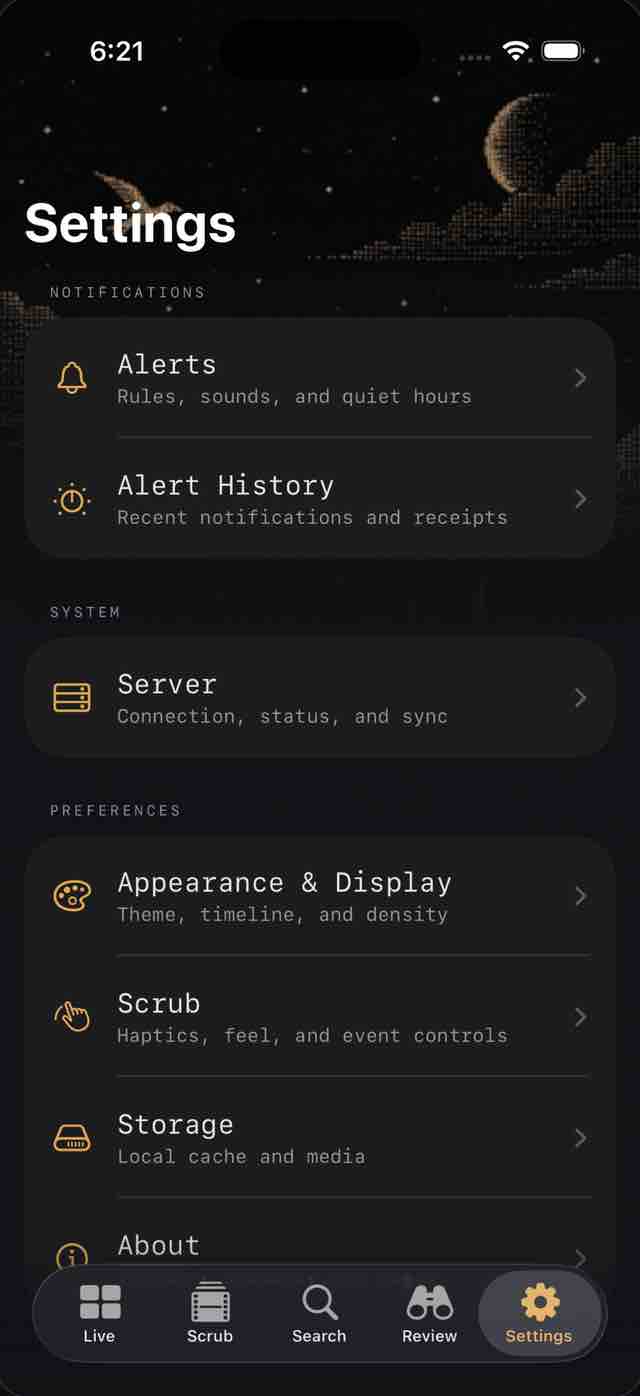
The Settings tab, with Alerts (rules, sounds and quiet hours) and Alert History at the top.
02 / On your Mac

Settle in at
your desk.

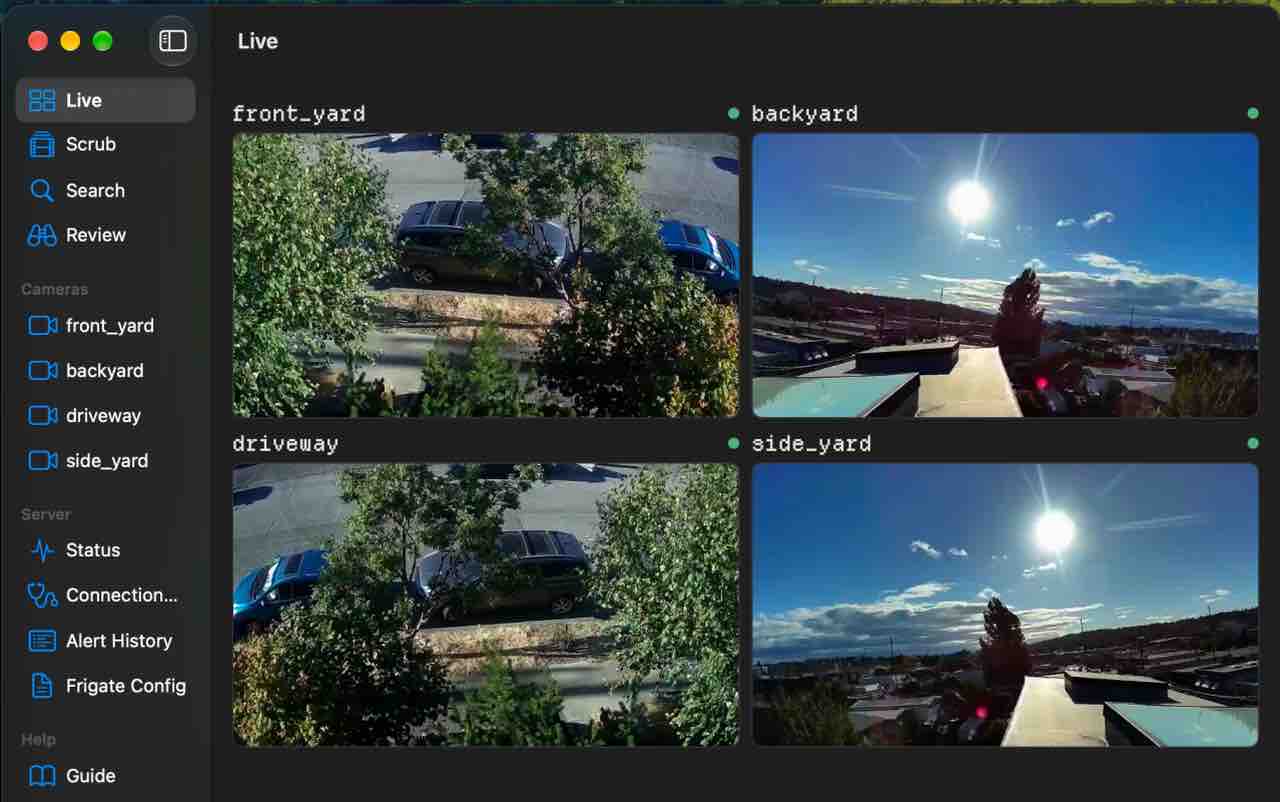
The same app on the Mac, at home on a bigger screen. One purchase covers iPhone, iPad and Mac.

  • Keyboard commands
  • Separate camera windows
  • A menu bar companion
  • Handoff between devices

Elsinore on the Mac

Elsinore on the Mac: a sidebar of tabs and cameras beside a live grid of four cameras.
03 / Private by design

Your home isn't a feed.
It stays yours.

[ 01 ]

No account. No cloud.

Elsinore talks straight to your Frigate server, at home or from anywhere. There is no Elsinore cloud in the middle and nothing to sign up for.

[ 02 ]

No tracking.

No analytics, no telemetry, no advertising or tracking SDKs. Your password stays in the device's secure storage and only ever goes to your server.

[ 03 ]

Your video stays home.

Footage and notification images come from your own server. Optional notifications carry one short line through the system push service. Privacy policy

04 / What you need

Before you
download.

[ 01 ]

Your own Frigate server

Elsinore is a viewer and reviewer for an existing Frigate setup. Frigate 0.17 or later is the version we test against. If you don't run Frigate, Elsinore won't be useful to you.

[ 02 ]

A way to reach it

Your home network, or a remote path of your own: Tailscale, another WireGuard VPN, or a reverse proxy.

[ 03 ]

Optional: Marcellus

A free, open-source companion service that runs next to Frigate. It adds alerts, live lock-screen alerts, encounters, Explore and scrub previews. Without it you still get live view, recordings and the review feed. About Marcellus

05 / Good to know

A few things,
before you look.

What is Elsinore?

A fast, native app for Frigate, the open-source NVR you run on your own hardware. It brings your live cameras, recordings, encounters and alerts to iPhone, iPad and Mac.

Is there a subscription?

No subscription and no account. One App Store purchase covers iPhone, iPad and Mac.

Does my video leave my network?

Video, recordings and snapshots go straight from your server to your device. The one exception is optional notifications: the short line on your lock screen, such as “Person at Front Door”, travels through the system push service and a minimal relay with no database. The privacy policy has the details.

Can I use it away from home?

Yes, over any route you already have to your server: Tailscale, a WireGuard VPN, or your own reverse proxy. If it can't connect, the Connection Doctor tells you why.

Does it replace Frigate's own interface?

No. Elsinore doesn't configure cameras or replace Frigate's admin pages. It's for watching, scrubbing and reviewing.

Where do I get help?

Start with Getting started and the documentation. The support page covers quick answers and how to report a bug.

Keep an eye on
what's yours.